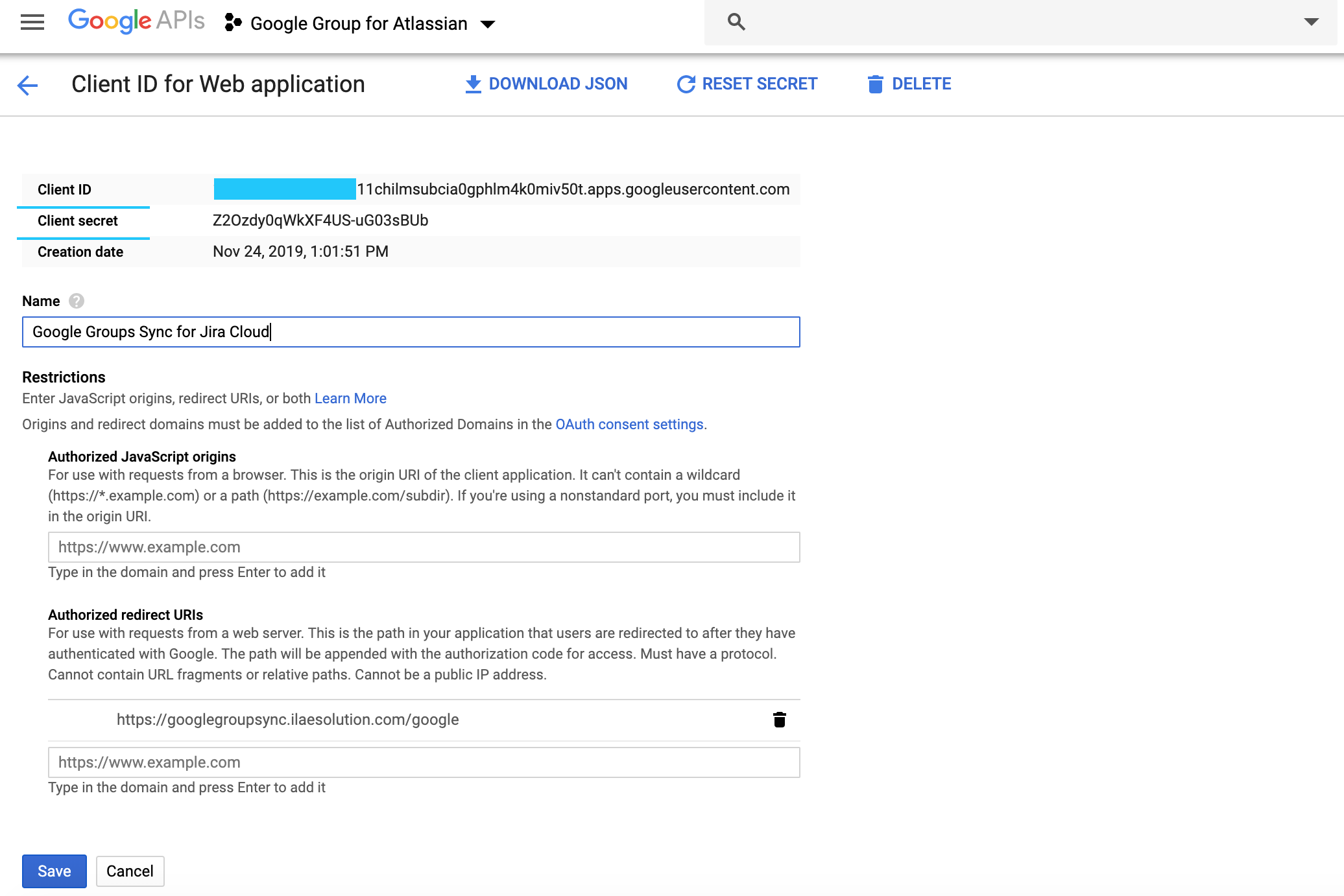
How to Create Google OAuth Client (Jira Cloud)
STEP-1
Go to, https://console.developers.google.com
STEP-2
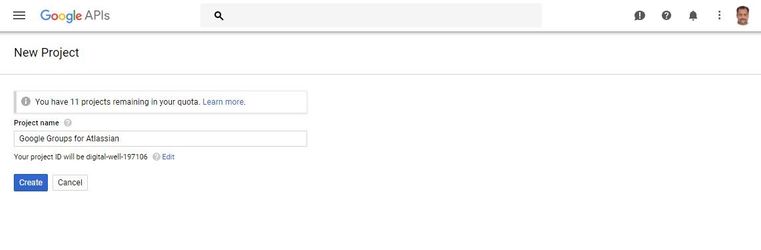
Create new project Google Console Project
STEP-3
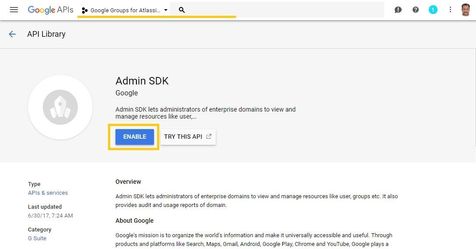
Select console project, Click library and enable Admin SDK library API access
STEP-4
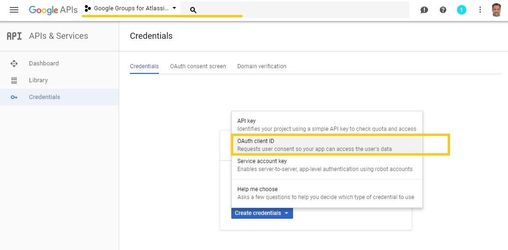
Create OAuth Client ID
STEP-5
Configure authorized re-direct URI's with below callback URL
https://googlegroupsync.ilaesolution.com/google
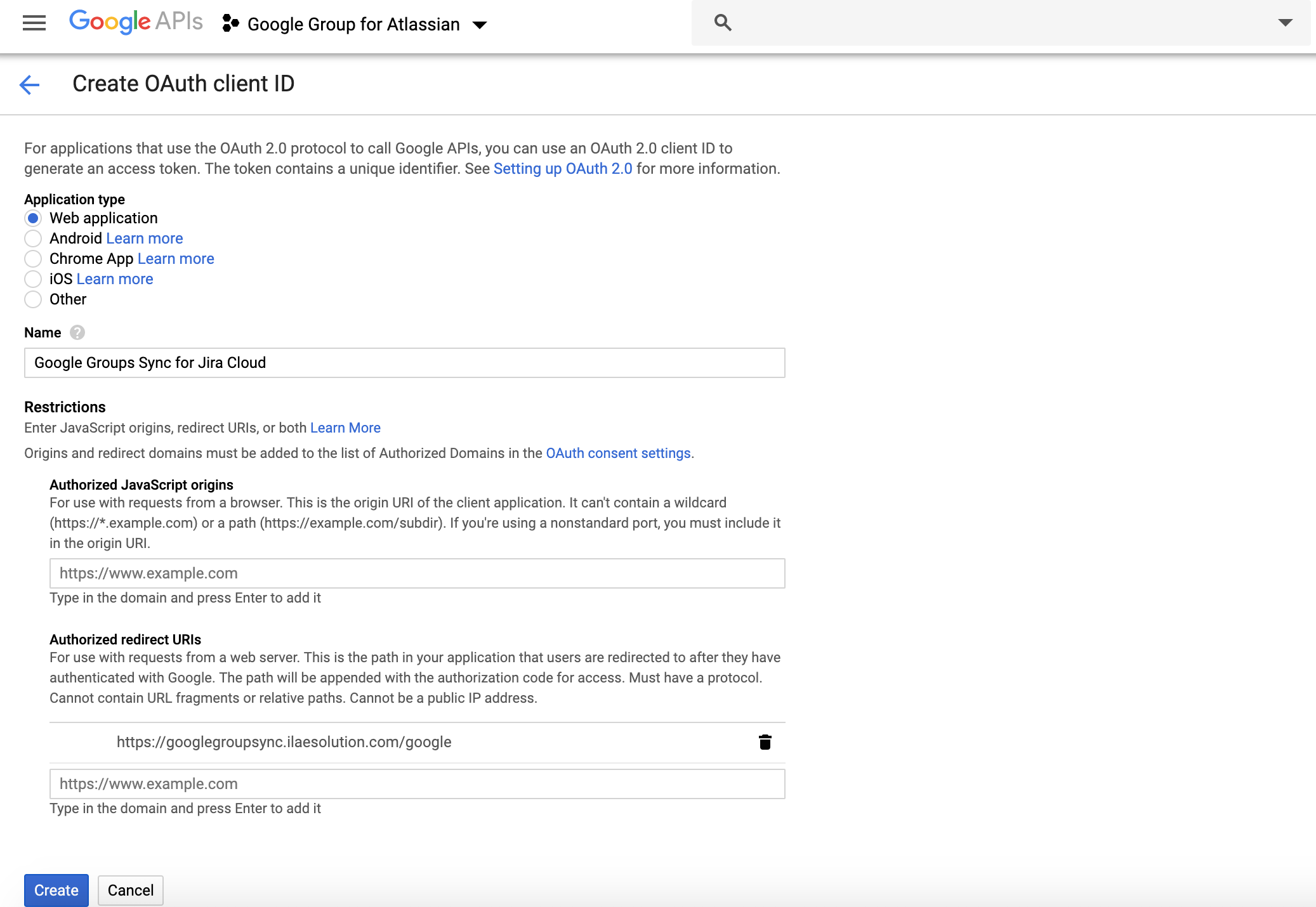
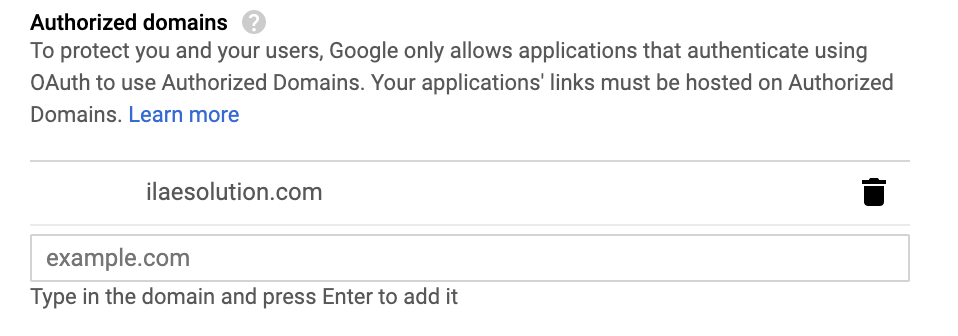
Click on OAuth Consent Settings and authorize app domain (e.g. googlegroupsync.ilaesolution.com )
STEP-6
Copy client_id and client_secret from created OAuth Client.