Create Google OAuth Client ID / Secrets (Confluence Server)
- ILA eSolution
Owned by ILA eSolution
Last updated: Nov 24, 2019
STEP-1
Go to, https://console.developers.google.com
STEP-2
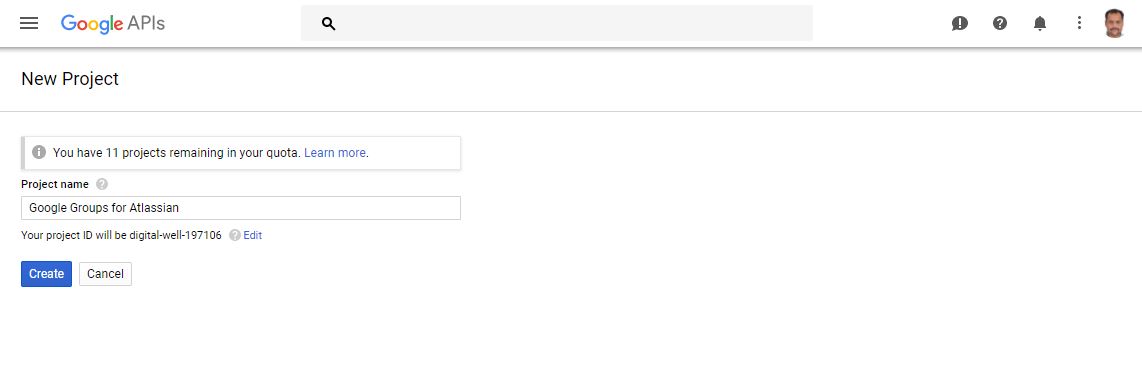
Create new project Google Console Project
STEP-3
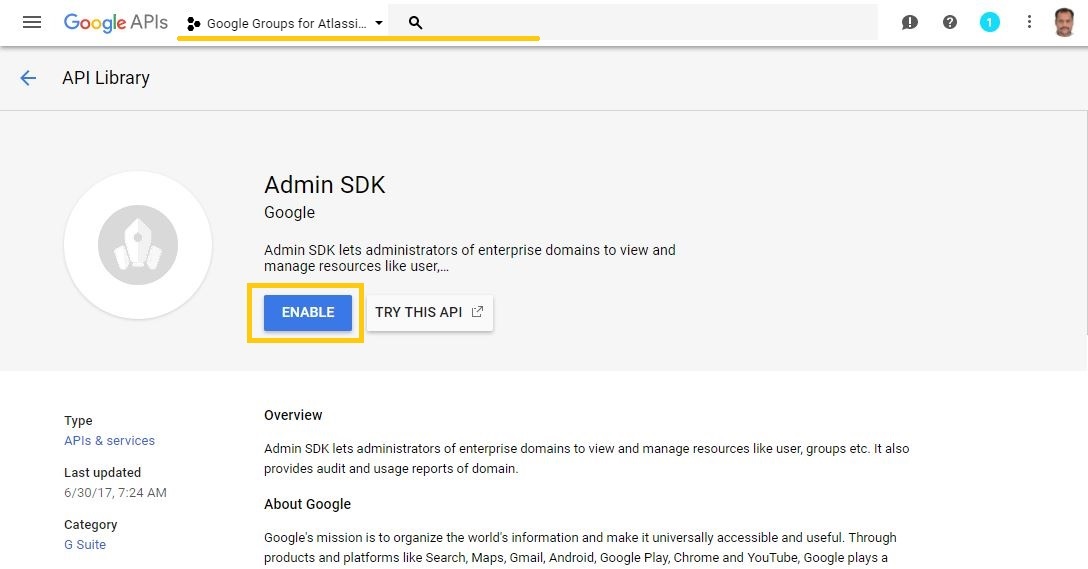
Select console project, Click library and enable Admin SDK library API access
STEP-4
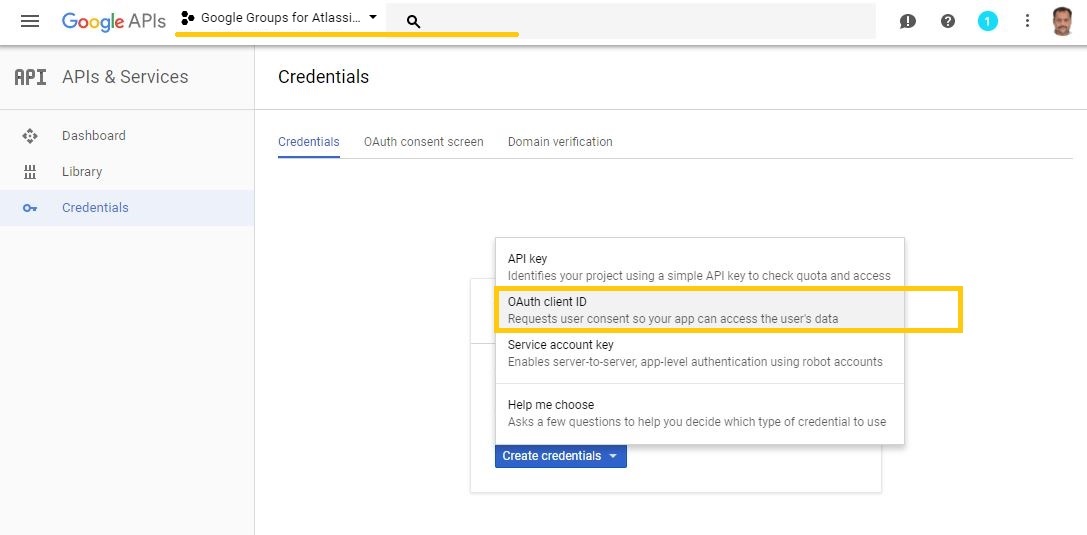
Create OAuth Client ID
STEP-5
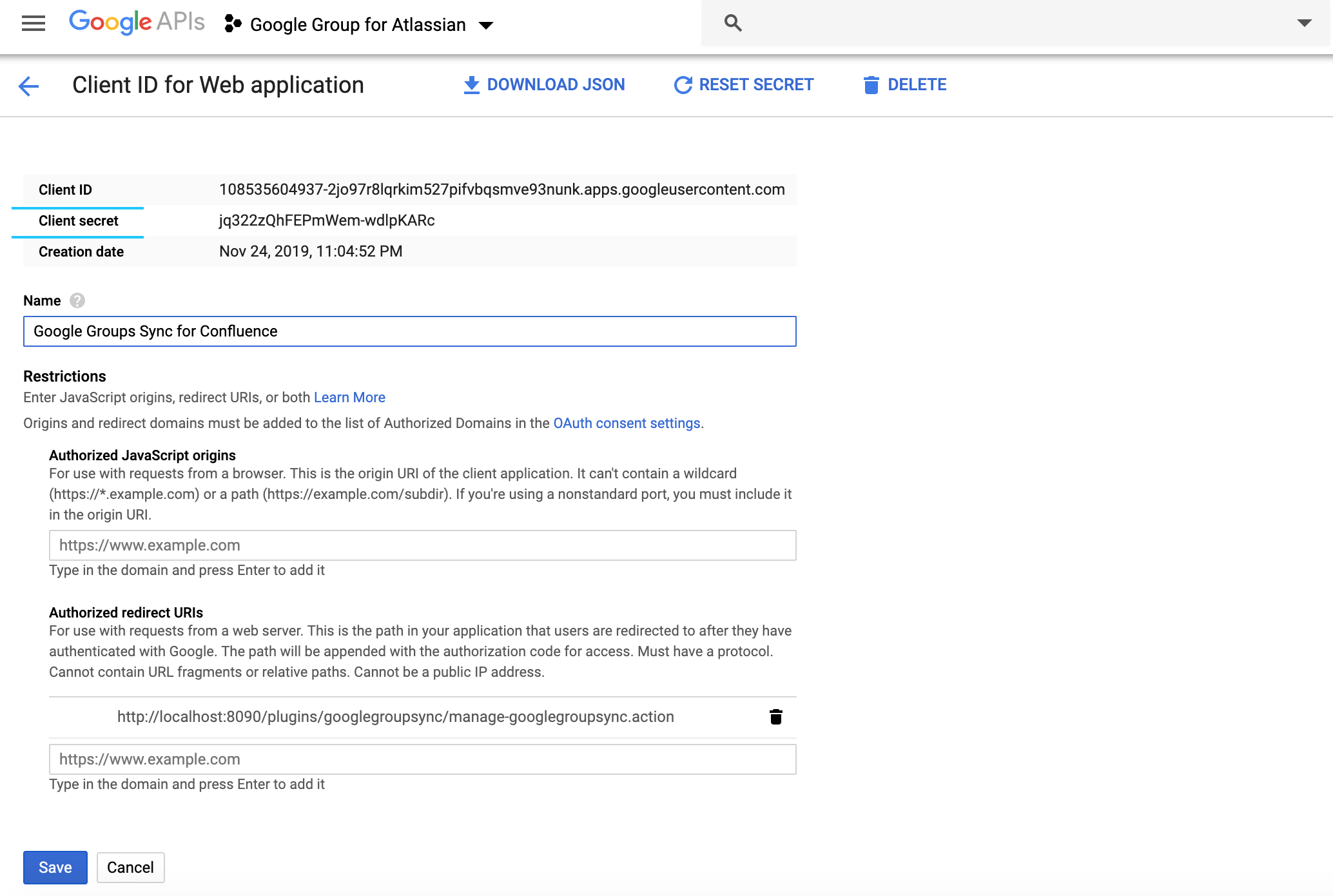
Configure authorized re-direct URI's with format i.e. <BASE_URL>/plugins/googlegroupsync/manage-googlegroupsync.action
E.g. If Jira base URL: http://confluence.ilaesolution.com
Then authorized re-direct URI will be:
http://confluence.ilaesolution.com/plugins/googlegroupsync/manage-googlegroupsync.action
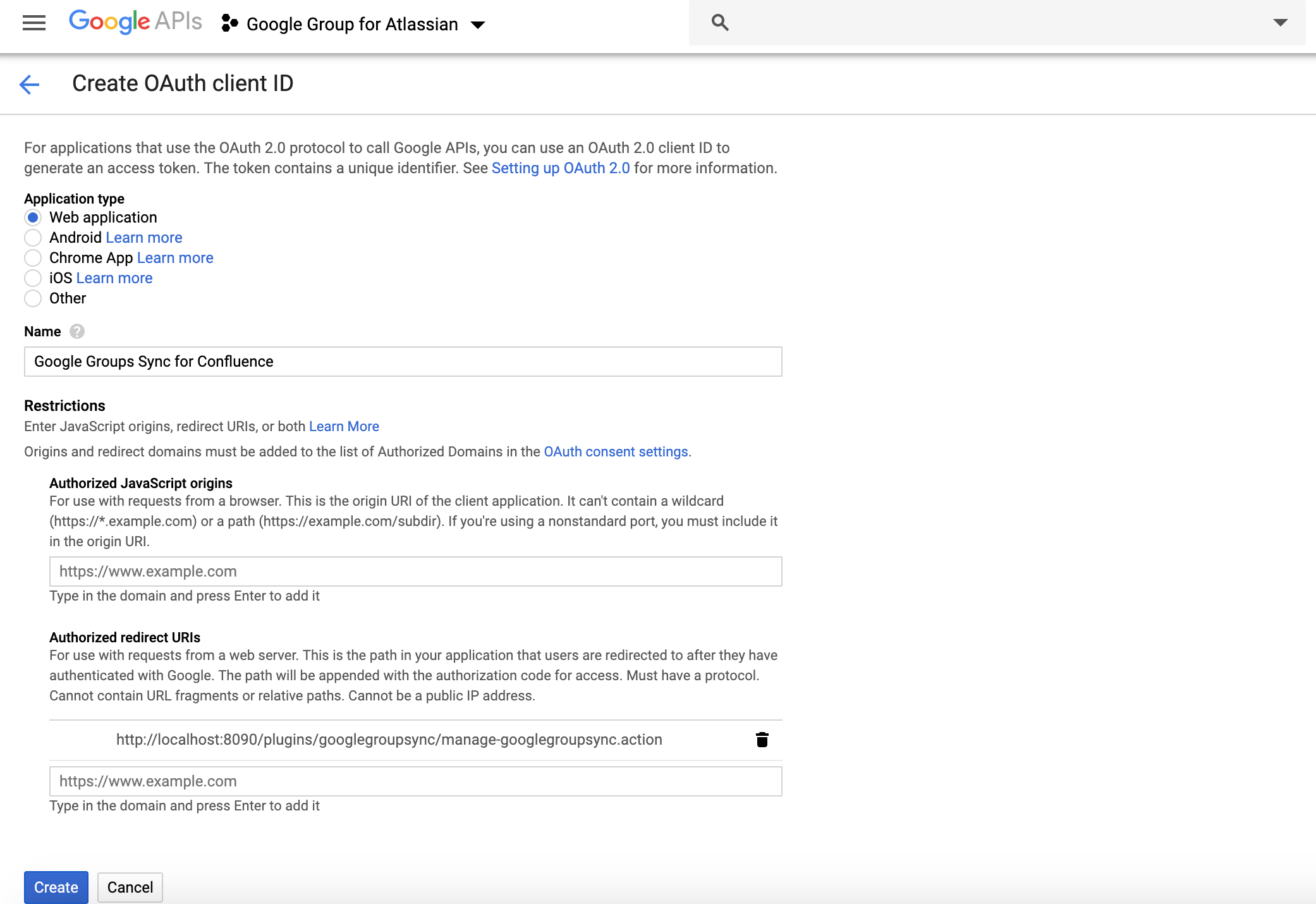
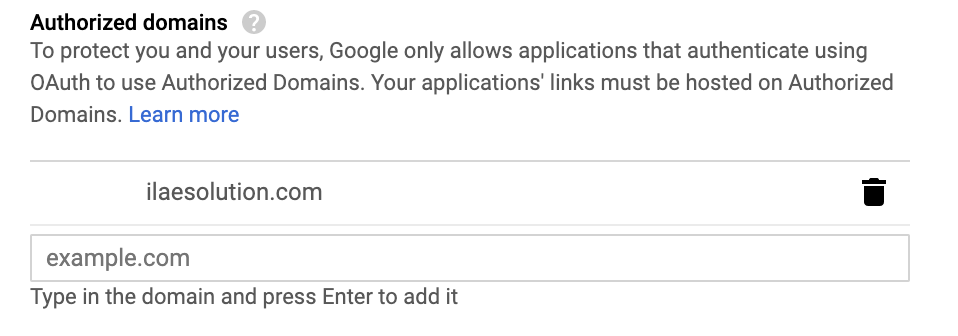
Click on OAuth Consent Settings and authorize your Jira host domain (e.g. confluence.ilaesolution.com )
STEP-6
Copy OAuth Client ID and Client Secret for Google Groups Sync for Jira Plugin
, multiple selections available,